This blog will walk you through the Marketing feature in Salon Tracker, explaining what it does, why it’s beneficial to your salon, and how you can use it to promote offers, discounts, and campaigns to your customers.
What is the Marketing Feature?
Open Salon Tracker and log in with your admin account.
From the main menu, go to the marketing section.
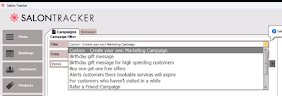
Within the marketing section, you’ll find a filter dropdown that provides ready made marketing templates for SMS messages
These templates :
Save time when creating campaigns.
Can be personalised with customer names.
Allow you to tailor the message to suit a specific offer or promotion.
Personalised messages feel more engaging and are more likely to be read and acted upon by customers.
Sending Marketing Emails
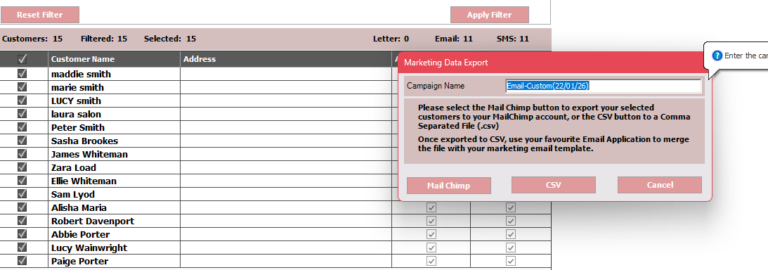
Clicking the send email button in the marketing section allows you to export your customers to Mailchimp or download them via a CSV file.
This gives you the flexibility to
Design professional marketing emails in Mailchimp.
Target the right customers within the right message.
Send campaigns at a time that suits your business.
Sending SMS Messages
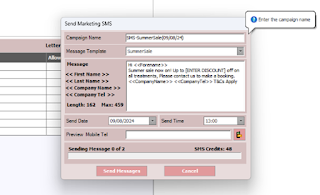
The send SMS button allows you to send customised text messages directly to your customers.
With SMS marketing, you can
Select a template that best matches your offer.
Customise the message for maximum relevance.
Preview the message before sending.
Previewing your SMS messages ensures everything looks perfect before sending.
Start Marketing Smarter
With Salon Tracker’s Marketing feature, promoting your salon has never been easier. Whether you’re sending emails ,SMS messages, or running a seasonal campaign, everything you need is right at your fingertips.
Start using Marketing today to keep your customers engaged and your diary full.
If you have nay questions, contact us on support@salontracker.co.uk.